Blog post
The plunge
Published March 1, 2026
Last updated March 1, 2026
Part 2/2 of a series on "Adventures in Linux"
In my previous post, I talked about how I had recently reconfigured my portable Linux install. There, I mentioned the fact that I had recently moved off using portable Linux as my only Linux system.
With Microsoft lately deploying ill-fated Windows 11 updates that keep breaking things, both hardware and software, in addition to a painful focus on AI “features”, I have been looking for a way out for a while.
I knew that the foretold “year of the Linux desktop” was here, and that Valve had done a lot of work on improving Linux support for gaming, but somewhere I thought to myself “do I really want to have to mess around with things when I want to game?”. As I detail in my other post, I have used Linux by now for years and feel quite confident in using it, but I still felt hesitant.
As the Windows issues piled on, I decided that I’d atleast give it a shot. I still had a couple problems I needed to solve for it to be worthwhile, namely:
- I need to be able to have a seperate space for productivity.
- I need to be able to easily synchronize files between the systems (when I install Linux on my other machines).
- Games need to work out of the box, atleast most of the time.
- It needs to be easy to maintain.
Having heard about EndeavourOS for a while, I was at first going to give it a shot, before I discovered CachyOS.
The setup was very simple, and CachyOS has been easy to maintain an use so far. I’ve been able to play fairly demanding games, such as Red Dead Redemption 2, without any issues.
As far as the productivity workspace goes, I settled for seperation through user accounts.
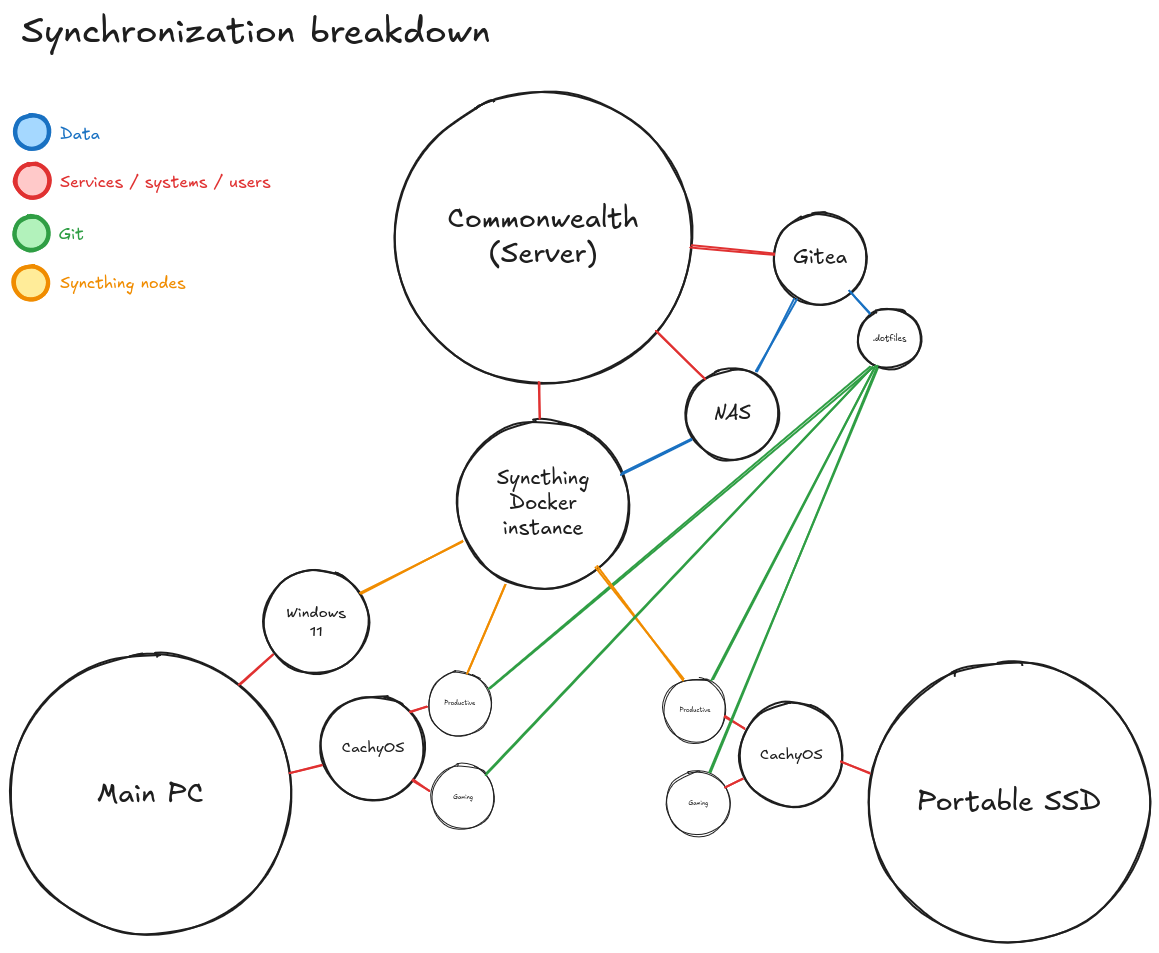
In the productivity workspace I have set up a dotfiles repository, according to this guide and the Arch wiki, which solves the hurdle of configuration synchronization. Furthermore I set up Syncthing to synchronize my project and university files between my machines. For added stability, allowing me to turn off systems without waiting for synchronization, I have a Syncthing server on my home server as well. Thus, configurations are synchronized upon request, and files are continuously synchronized. The rest of my files live on a network share.
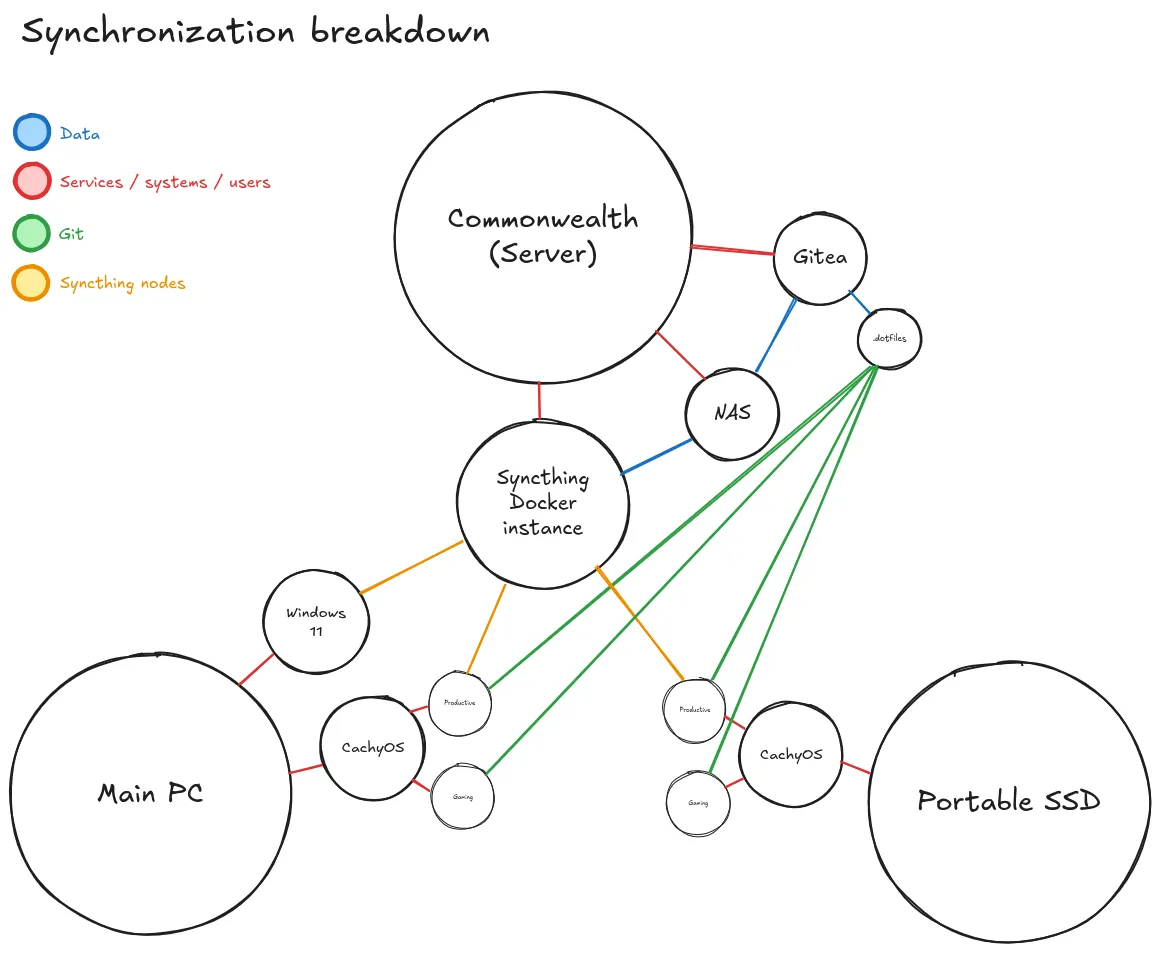
The files being synchronized means I can work locally, and particularly with the portable setup it allows me to bring my files with me.
However, as one can expect, I have had to reinstall Windows as a secondary boot option as I have been getting into VR lately, and because games like Battlefield 6 require it for it’s root-level anticheat.
One day we can hopefully get to a place where both are readily supported on Linux. I suspect with the advent of the Steam Machine and the Steam Frame, we may be seeing more PCVR support on Linux soon. I doubt that my Playstation VR2 will ever be supported, however, as it’s PC support is limited to Windows.
// Embracket